Tracking and Monitoring Made Easy: A Hands-On Guide to IPLogger and Grabify
Majd Abuleil
3 min read
The hackers will use the IPlogger & Grabify For these purposes:
the IPlogger works the same as Grabify but why do we need to use them:
1- URL Shortening: Hackers often use URL shorteners to hide dangerous links. By making a long, suspicious link shorter, they increase the chances that people will click on it.
2- Link Tracking: It allows you to track the number of clicks on a link, the geographical location of the users who click the link, and IP address, location, browser, and operating system.
3- Phishing and Social Engineering: Create links that appear legitimate but redirect users to a tracking page or a phishing site.
So from what we have in these 3, we can know a lot about the user just by clicking a link that we can customize.
Let's go through How to use them:
IPlogger >>>
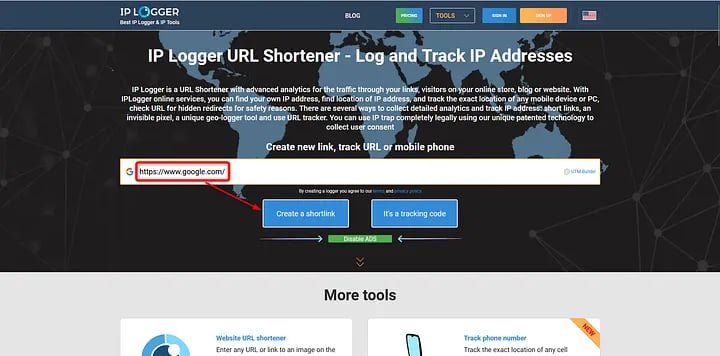
Here we start by entering the link or URL that we want to make short, or to track the IP and the user data
As you can see here, I want to get the user IP and data like location, browser, and operating system, so my link is just the Google site.
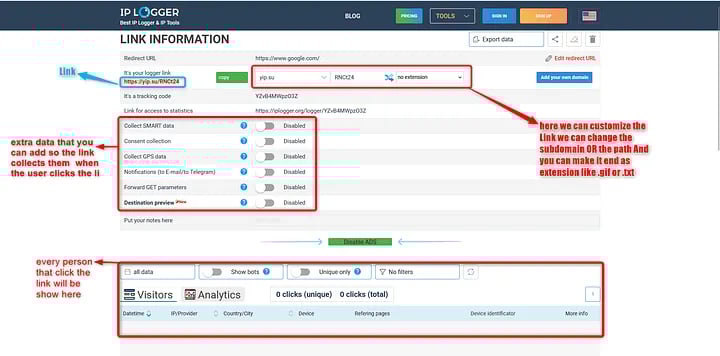
as you can see from the photo we get our URL which is Google differently and more shortly, and we can change the URL looks and how the subdomain starts and make it end with an extension in our case the URL ends with [RNCt24] we can make it [RNCt24.png] as a photo, after we done and satisfied with the URL we can add extra thing to link to collect from the user.
Here I entered the link in the Android Emulator
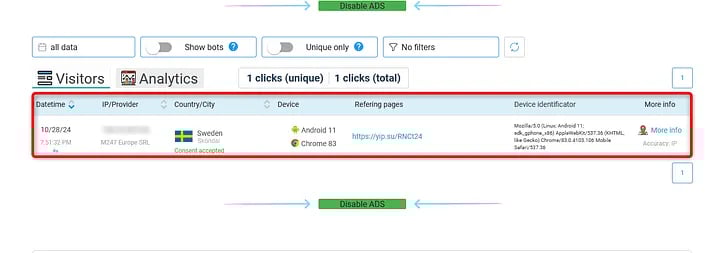
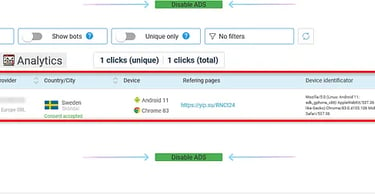
As you can see, we get the IP, device, and browser type in this case Chrome 8,3 and in the More Info,o we get the user location.
Grabify >>>
Start the same by providing the URL
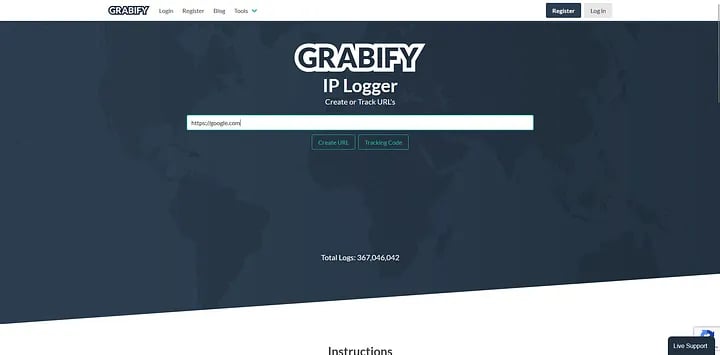

Click on Create URL
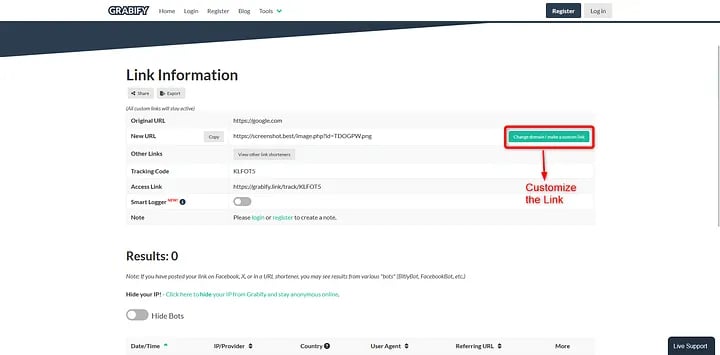
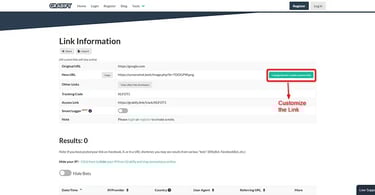
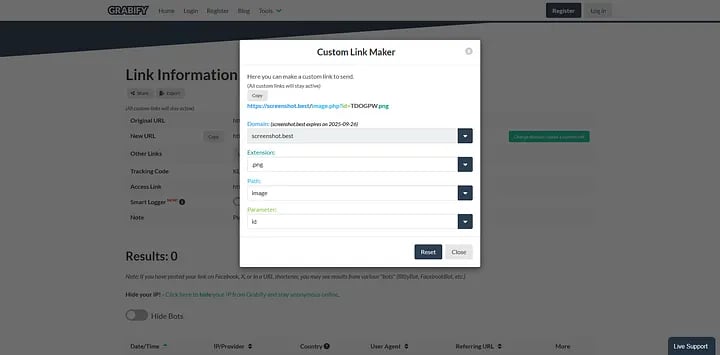
And like that, the link is ready to use
using the Android emulator again
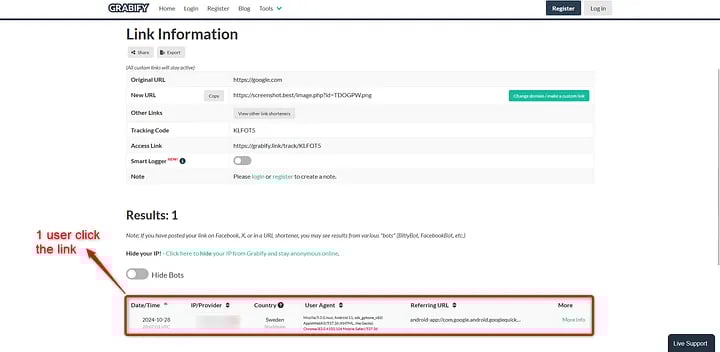
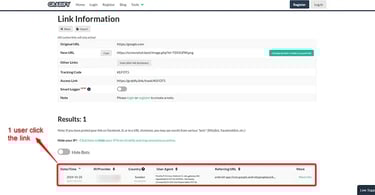
Click on the More Info
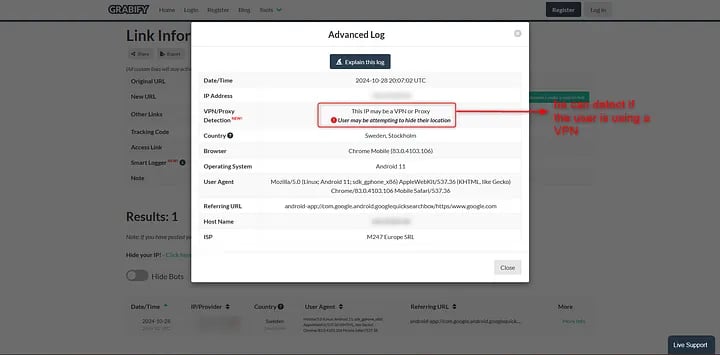
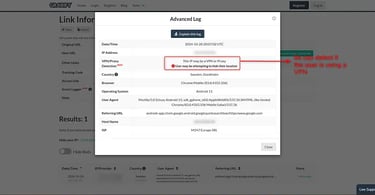
as you can see here it can detect that the user may be using a VPN [Cool Feature]
for this reason, using a VPN can help keep your IP address hidden and maintain your anonymity online and not get tracked.
Contact
Reach out for collaborations or questions.
https://t.me/CvX_0o0
Telegram
© 2025. All rights reserved.